| 1 | # Netdata APIs |
| 2 | |
| 3 | Netdata Cloud provides APIs for programmatic access to your monitoring infrastructure. |
| 4 | |
| 5 | :::note |
| 6 | |
| 7 | API documentation is a work in progress. More endpoints will be added soon. |
| 8 | |
| 9 | ::: |
| 10 | |
| 11 | ## Agent API |
| 12 | |
| 13 | The Netdata Agent REST API provides access to metrics, alerts, and configuration on individual nodes. The complete documentation is available in OpenAPI format. |
| 14 | |
| 15 | Explore the Agent API using: |
| 16 | |
| 17 | - **[Swagger UI](https://learn.netdata.cloud/api)** - Interactive API explorer |
| 18 | - **[Swagger Editor](https://editor.swagger.io/?url=https://raw.githubusercontent.com/netdata/netdata/master/src/web/api/netdata-swagger.yaml)** - Edit and test API calls |
| 19 | - **[OpenAPI Specification](https://raw.githubusercontent.com/netdata/netdata/master/src/web/api/netdata-swagger.yaml)** - Raw OpenAPI YAML |
| 20 | |
| 21 | ## Cloud API |
| 22 | |
| 23 | The Netdata Cloud REST API provides programmatic access to Cloud resources, spaces, rooms, and nodes across your infrastructure. |
| 24 | |
| 25 | Explore the Cloud API using the live API documentation: |
| 26 | |
| 27 | - **[Cloud API Documentation](https://app.netdata.cloud/api/docs/)** - Interactive API explorer |
| 28 | |
| 29 | :::tip |
| 30 | |
| 31 | The Cloud API documentation is always up-to-date and allows you to discover endpoints, view payloads, and test requests directly in your browser. |
| 32 | |
| 33 | ::: |
| 34 | |
| 35 | ### Generate an API Token |
| 36 | |
| 37 | To use the Cloud API, generate an API token from your Netdata Cloud account. |
| 38 | |
| 39 | #### Step 1: Access Account Settings |
| 40 | |
| 41 | From the profile menu, click on **"Settings"** to access your account settings page. |
| 42 | |
| 43 | 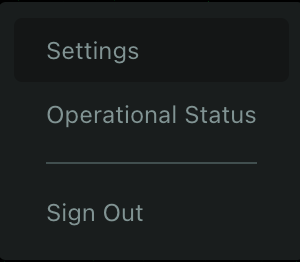 |
| 44 | |
| 45 | #### Step 2: Create a New Token |
| 46 | |
| 47 | In the API Tokens section, click the **+** button to create a new token. |
| 48 | |
| 49 | 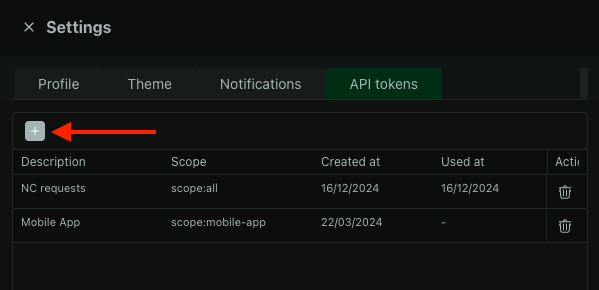 |
| 50 | |
| 51 | #### Step 3: Select Token Scope |
| 52 | |
| 53 | Choose `scope:all` to grant the token access to all Cloud API endpoints. Other scopes provide access to specific subsets of endpoints depending on your use case. |
| 54 | |
| 55 | 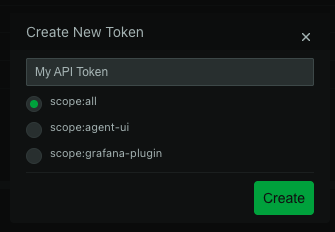 |
| 56 | |
| 57 | #### Step 4: Save Your Token |
| 58 | |
| 59 | The token generates and displays once for security reasons. Save it securely - you'll need to generate a new token if you lose it. |
| 60 | |
| 61 | 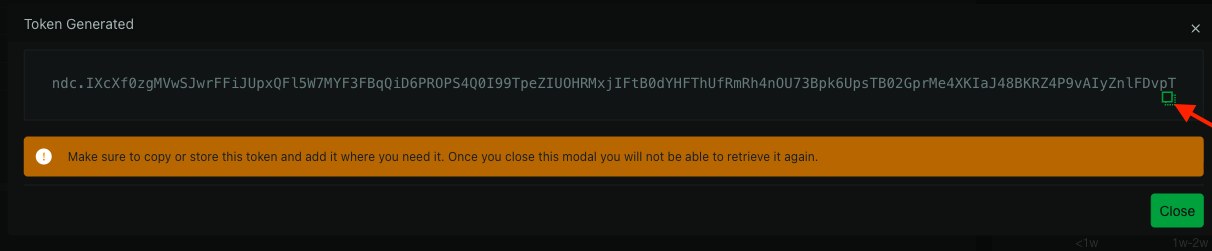 |
| 62 | |
| 63 | :::warning |
| 64 | |
| 65 | Save your token immediately. Netdata Cloud shows it only once for security reasons. If you lose it, generate a new token. |
| 66 | |
| 67 | ::: |
| 68 | |
| 69 | #### Step 5: Authenticate API Requests |
| 70 | |
| 71 | Include the token in your API request headers: |
| 72 | |
| 73 | ``` |
| 74 | Authorization: Bearer {{your_token}} |
| 75 | ``` |
| 76 | |
| 77 | Replace `{{your_token}}` with your actual API token. |
| 78 | |
| 79 | **Example request:** |
| 80 | |
| 81 | ```bash |
| 82 | curl -X GET "https://app.netdata.cloud/api/v2/spaces" \ |
| 83 | -H "Authorization: Bearer eyJhbGciOiJIUzI1NiIsInR5cCI6IkpXVCJ9..." |
| 84 | ``` |
| 85 | |
| 86 | 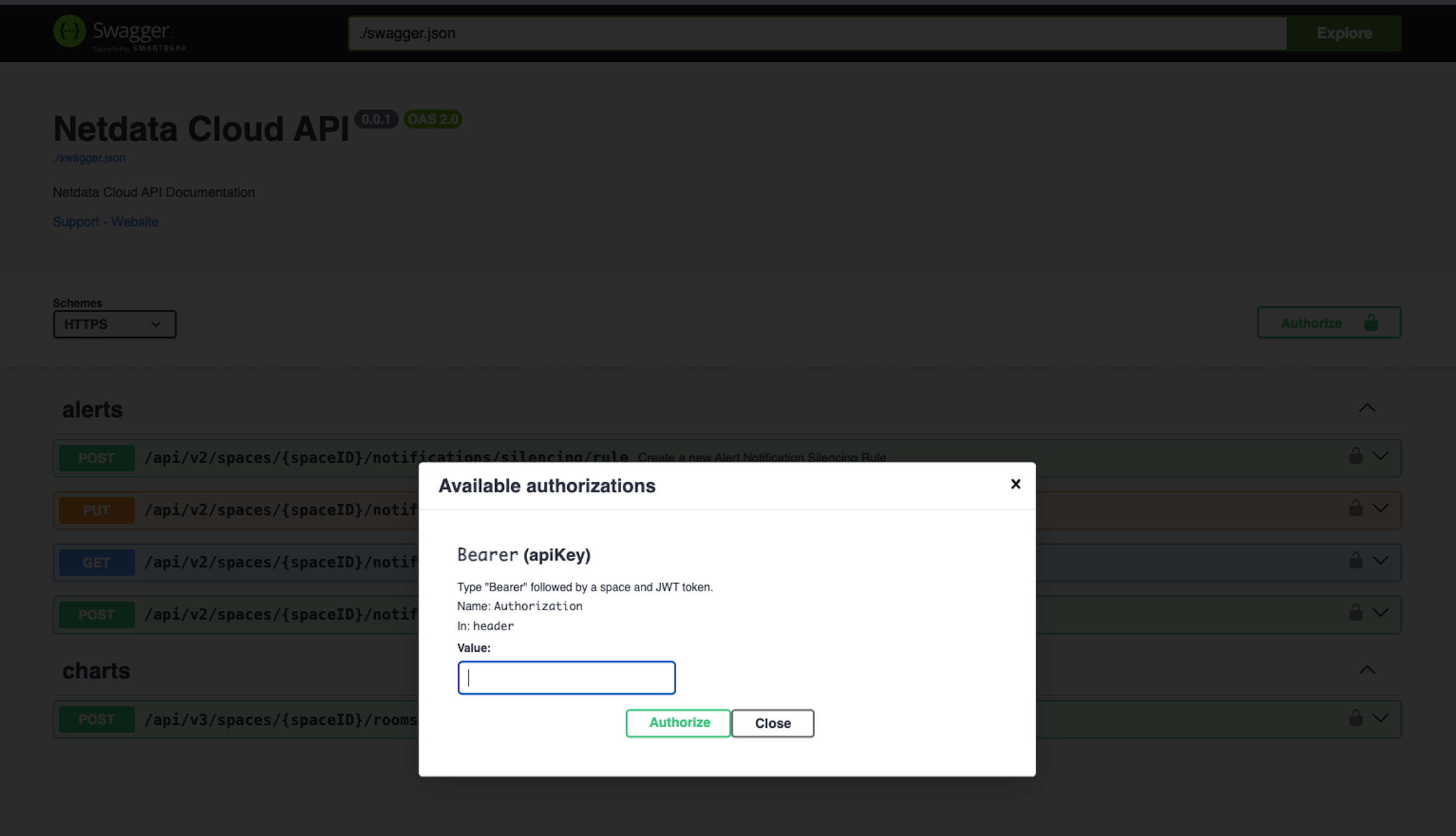 |