| 1 | # Scheduled Investigations |
| 2 | |
| 3 | Automate recurring custom analyses by scheduling your own investigation prompts. Great for weekly health checks, monthly cost reviews, and SLO conformance reporting. |
| 4 | |
| 5 | 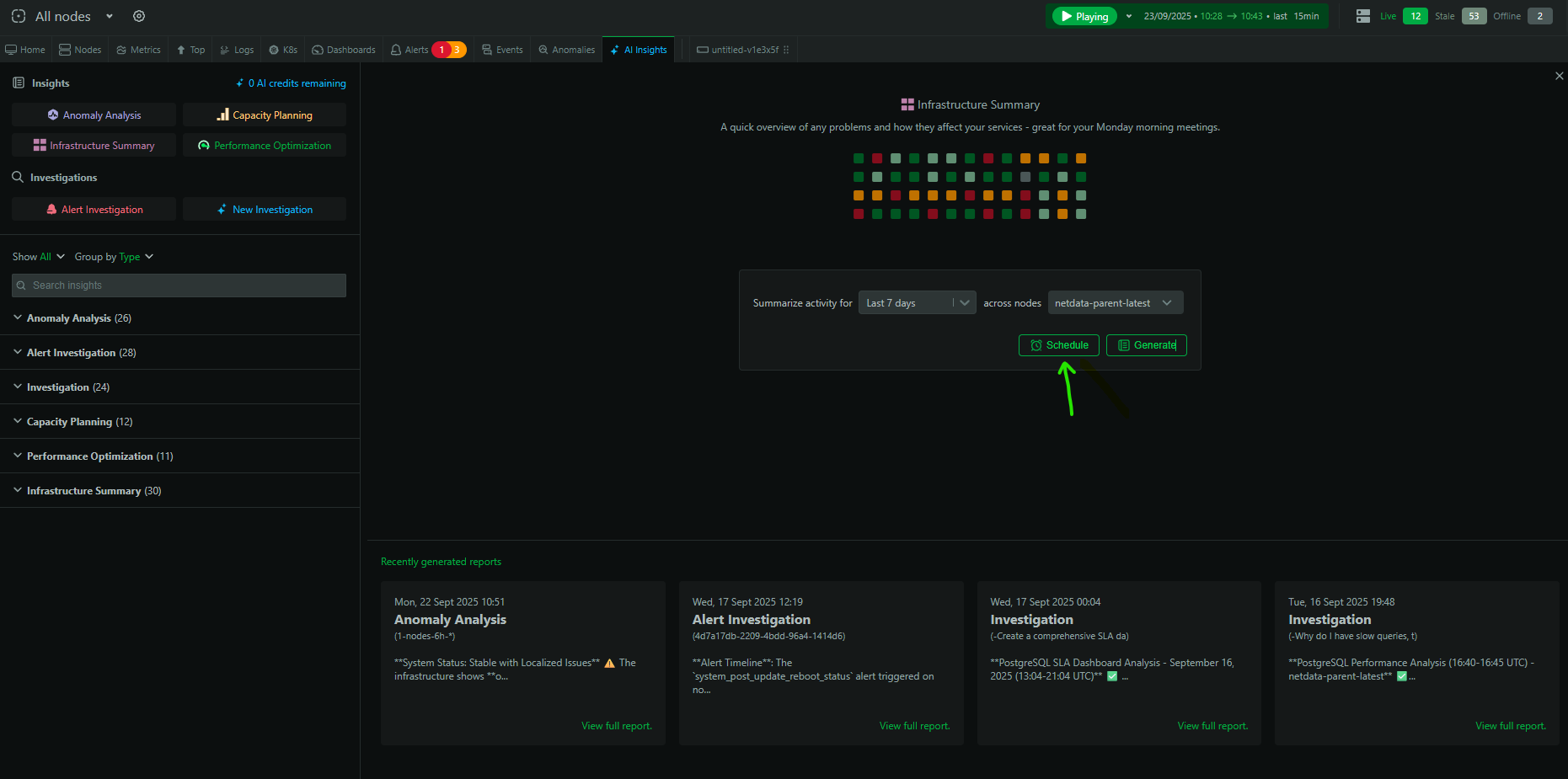 |
| 6 | |
| 7 | ## How to schedule |
| 8 | |
| 9 | 1. Go to the `Insights` tab → `New Investigation` |
| 10 | 2. Enter your prompt and set scope/time window |
| 11 | 3. Click `Schedule` and choose cadence (daily/weekly/monthly) |
| 12 | 4. Confirm recipients (email) and save |
| 13 | |
| 14 | At the scheduled time, Netdata AI runs the investigation and delivers the report to your email and the Insights tab. |
| 15 | |
| 16 | 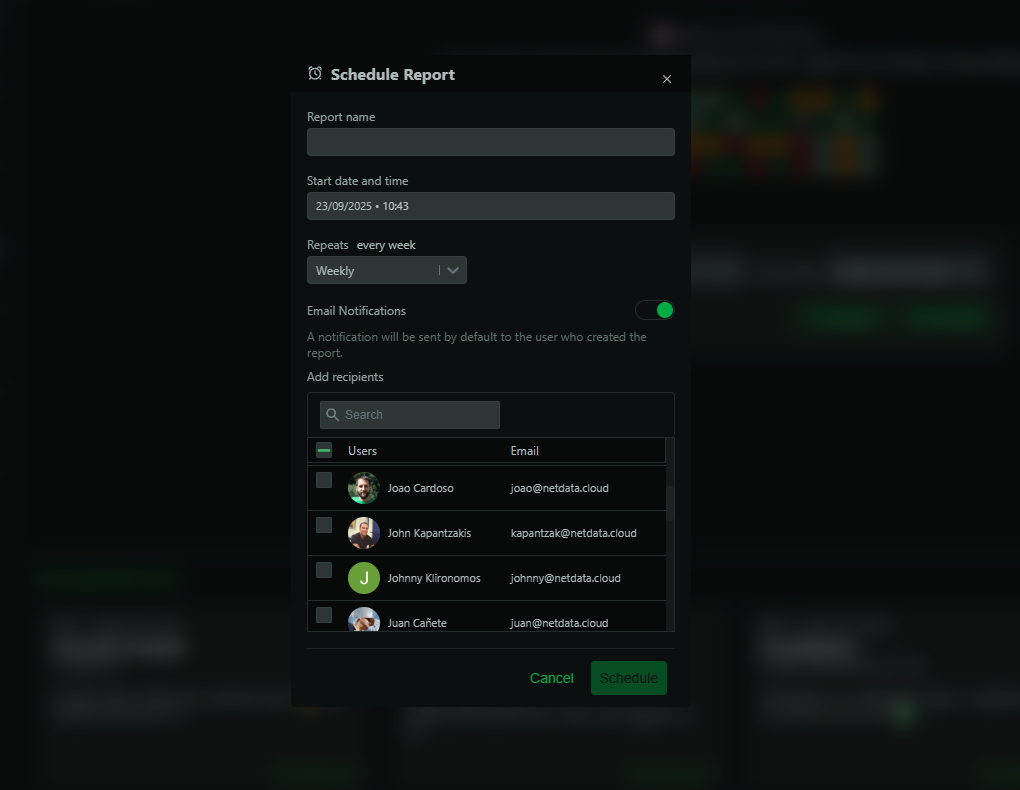 |
| 17 | |
| 18 | ## Examples |
| 19 | |
| 20 | ### Weekly health check |
| 21 | Prompt: |
| 22 | ``` |
| 23 | Generate a weekly infrastructure summary for services A, B, C. Include major incidents, |
| 24 | anomalies, capacity risks, and recommended follow‑ups. |
| 25 | ``` |
| 26 | |
| 27 | ### Monthly optimization review |
| 28 | Prompt: |
| 29 | ``` |
| 30 | Analyze performance regressions and right‑sizing opportunities over the past month for |
| 31 | our Kubernetes workloads in room X. Prioritize actions by potential impact. |
| 32 | ``` |
| 33 | |
| 34 | ### SLO conformance |
| 35 | Prompt: |
| 36 | ``` |
| 37 | Generate an SLO conformance report for 'user-auth' (99.9% uptime, p95 latency <200ms) |
| 38 | and 'payment-processing' (99.99% uptime, p95 <500ms) for the last 7 days. Include |
| 39 | breaches, contributing factors, and remediation recommendations. |
| 40 | ``` |
| 41 | |
| 42 | ## Manage schedules |
| 43 | |
| 44 | - Edit, pause, or delete schedules from the Insights tab |
| 45 | - Scheduled runs consume AI credits when they execute |
| 46 | |
| 47 | ## Availability and credits |
| 48 | |
| 49 | - Available on Business and Free Trial plans |
| 50 | - 10 free AI runs/month on eligible Spaces; additional usage via AI Credits |
| 51 |